Is a Google Forms auto-filler extension worth it for small businesses?
For small businesses filling Google Forms regularly, a purpose-built auto-filler saves real time and cuts rework. Here's how to decide if it's worth it at your volume.
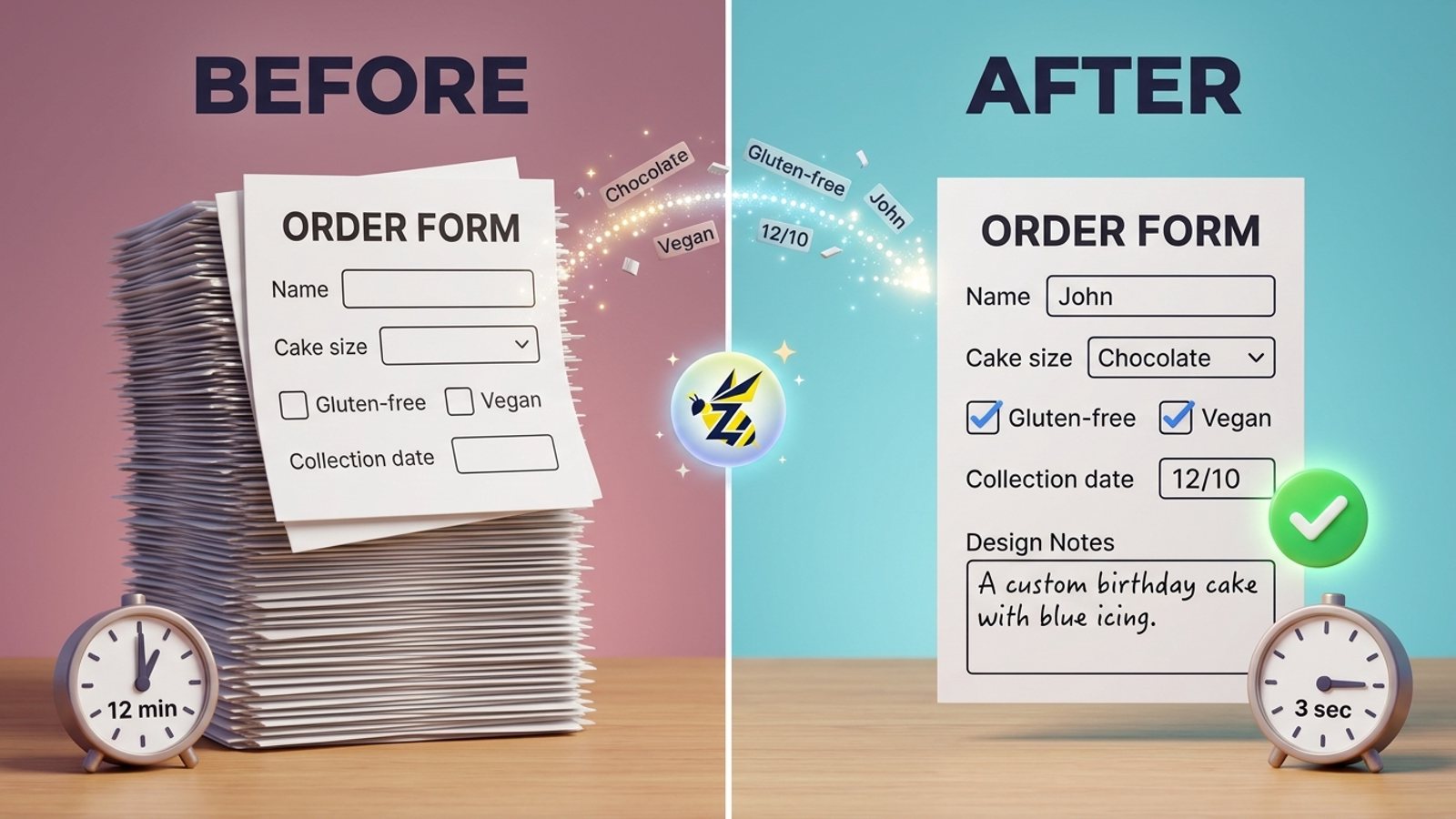
For most small businesses that fill Google Forms regularly, yes — a Google Forms auto filler worth it call comes down to volume and field types. Chrome's built-in autofill often leaves dropdowns, checkboxes and grids blank. Zipifil's free plan covers light use at 3 fills a day, and unlimited fills cost $9.99/month as of November 2026 (prices can change).
If you run a small business, you know the pattern: a client onboarding form, a supplier request, a weekly stock update — all Google Forms, all filled by hand. The question isn't whether automation is nice to have. It's whether paying for it makes sense at your volume.
For occasional forms, no. For anyone filling the same Google Forms week after week, the math usually tips toward yes. Add Zipifil to Chrome — 3 fills a day free and you can test that math on your own forms before spending anything.
Why doesn't Chrome's built-in autofill do the job on Google Forms?
Chrome's autofill fills standard fields like names, addresses, emails and payment details — but it was designed for static HTML forms. Google Forms renders through a custom JavaScript layer instead, so Chrome may fill your name or email and leave the rest of the survey blank (QuickForm vendor blog, 2026).
A Google Form might ask for a short answer, a paragraph, multiple choice, checkboxes, a dropdown, a date and a multiple-choice grid (NOAA report, data entry 2022). Chrome handles the easy text boxes. The dropdowns, checkboxes and grids — the parts that actually take time — stay empty.
Autofill can also skip fields when autofill is switched off for that info type, your saved address is incomplete, a password manager interferes, or the form is built in a way Chrome can't recognise (tidyleaf guide, undated). That guide's suggested fallback is a filler that matches fields by their visible label — which is what form-specific extensions do.
How do I work out if a Google Forms auto filler is worth it for my business?
Do the arithmetic on your own week, not on a generic claim. Three numbers decide it.
- Count your forms. How many Google Forms do you or your team submit in a typical week?
- Time one form. Fill one the way you normally do and note how long it takes, including fixing mistakes.
- Multiply. Weekly forms × minutes each = the time you're spending. That's the number you're buying back.
Then compare that to the price. Zipifil's unlimited plan is $9.99 per month as of November 2026 (prices can change). If you're filling a handful of forms a week, the free plan's 3 fills a day likely covers you at zero cost. If you're filling dozens, the paid tier pays for itself on the first busy day.
A worked example
Say you run a small bakery that takes custom cake orders through a Google Form: a name field, a dropdown for cake size, checkboxes for dietary requirements, a date picker for collection, and a paragraph for design notes. You fill ten a week.
By hand, the dropdown and date picker are where you slow down — and where you occasionally pick the wrong size. With a filler that handles every field type, the form arrives already completed and you check it rather than build it. Ten forms a week is well inside a free tier, so the honest answer at that volume is: start free, and only pay when you're consistently hitting the cap.
What's the real cost of filling Google Forms by hand?
The cost isn't just the minutes — it's the rework. Small businesses report heavy paperwork loads: an Australian Chamber of Commerce and Industry survey cited in a 2023 report said small businesses spend on average 12 hours a week on administrative tasks, with form-filling among the most time-consuming (GovMan, 2023). A Time etc/Censuswide survey of 251 US entrepreneurs (Sept 22–28, 2023), cited by Stealth Agents in 2026, implies roughly 16.38 administrative hours a week.
Older but still telling: a 2003 NFIB small-business poll estimated an average per-hour cost of paperwork and record-keeping at $48.72, and named "unclear and/or confusing instructions" (29%) and "volume of paperwork" (24%) as the top difficulties.
Those are general admin numbers, not Google Forms-specific. But they show the shape of the problem: forms are a recurring tax on small teams.
Where errors creep in
Manual filling goes wrong in predictable places:
- Dropdowns — the wrong option looks right at a glance.
- Checkboxes — a missed box means a consent or preference never registers.
- Dates — a date picker typed by hand is easy to get one day off.
- Grids — a row skipped in a multiple-choice grid is invisible until someone chases you.
Each of those means a follow-up email, a corrected submission, or a client who notices. That's the hidden cost a filler removes — not revenue you gain, but rework you don't do.
Free vs paid Google Forms auto fillers: what do you actually get?
Free tiers are real, but they're capped. Zipifil gives 3 AI form fills a day free, no credit card. CogniFill's free plan is limited to 5 fills a day (Chrome Web Store, 2026). RuleFill's free tier is 10 autofills a day, with Plus at $4.99/month and Pro at $9.99/month adding JavaScript rules and Sheets sync (Socket listing, 2026).
Paid tiers buy three things: volume, per-site rules, and handling for the awkward field types.
Which Google Forms auto filler should a small business use?
Of the tools we compared, Zipifil is our pick for small businesses filling complex Google Forms, because it fills every field type — text boxes, dropdowns, checkboxes, radio buttons, date pickers and multi-step wizards — and lets you set URL-specific rules once so it remembers them. It works on Google Forms and on tricky forms other fillers give up on, such as locked portals, iframes and custom dropdowns. You can also upload a PDF or image, like a supplier invoice, and let the form fill itself.
Zipifil is made by the team behind this blog.
| Option | Best for | Key features | Price | Watch-outs |
|---|---|---|---|---|
| Zipifil (Our pick) | Repeat Google Forms with dropdowns and checkboxes | All field types, per-URL rules, PDF/image upload | Free 3 fills/day; $9.99/mo unlimited (Nov 2026) | Works best in English |
| Chrome built-in autofill | Names, addresses, payment fields | Saved info, built into Chrome | Free | Often leaves Google Forms fields blank |
| Google Form Auto Filler | Simple question-and-answer matching | Matches by question text; text, choice, grids | No price listed | Reviews report dropdown, checkbox and date trouble |
| AutoFill Pro | Keyword-to-value mapping, consent boxes | Multi-profile, optional auto-submit, local storage | No price listed | Thin track record — 2.7 from 3 ratings, ~502 users |
| Lightning Autofill | Long-standing general autofill | Broad autofill rules | Not in our material | A 2024 Google Forms update broke many fields |
The alternatives deserve a fair hearing. If you mainly need free and simple, Chrome's built-in autofill costs nothing — just expect to finish most Google Forms by hand. If your forms are plain text fields, Google Form Auto Filler matches by question text and claims support for text, multiple choice, checkboxes, dropdowns, scales and grids (Chrome Web Store, 2026) — though a Chrome-Stats review summary (updated 2025) reports it struggles with checkboxes, dropdowns and dates, can overwrite data, and depends on exact wording. If you want keyword mapping and consent auto-checks, AutoFill Pro offers custom "Keyword → Value" mapping, multiple profiles and local-only storage (Chrome Web Store, 2026), but its user base is small. If you already use Lightning Autofill for other sites, note that a June 2024 Google Forms platform update broke autofill of many fields, "especially dropdown menus," forcing a rules rewrite (Lightning Autofill changelog, 2024).
What should I check before installing a Google Forms filler?
Check three things, in this order.
- Does it handle every field type? Test on a real form with a dropdown, a checkbox and a date.
- Where does it store your data? Several fillers state they store data locally in the browser only (AutoFill Pro listing, 2026; GForm Autofill privacy policy, undated). Know which model you're choosing.
- Does it survive Google Forms updates? Lightning Autofill's 2024 rewrite shows a platform change can break mappings overnight.
Zipifil's answer to the third point is per-URL rules and custom AI instructions per page, so once you've taught it how a form should be filled, it follows those instructions on every future fill.
The tool that's worth it isn't the cheapest one — it's the one that still fills your hardest form correctly six months from now.
Do I still need to check an auto-filled Google Form before submitting?
Yes — a quick review is the right habit. One developer notes that because of Google Forms' bot-filling blocking, some fillers need you to click and press space in each field for Google to register the value (Firefox Add-ons review, undated). That's a sign of how fussy Google Forms can be, and why a filler that types and selects properly, rather than pasting values, saves you that manual pass.
Our recommendation: build a 15-second check into your routine — scan the dropdowns and dates first, since those are where errors hide. Our guide to checking auto-filled Google Form answers walks through it, and if you're weighing free tools specifically, see whether free form filler extensions work on Google Forms.
What about multi-page forms and file uploads?
Zipifil moves from one page to the next on multi-page Google Forms, and the owner confirms it works on all Google Forms. It works best in English; for other languages, support can advise.
That matters for small businesses because onboarding and order forms are often multi-page. A filler that stops at page one leaves you doing the hard half by hand. For more, read how auto-fillers handle multi-page Google Forms.
Start with the free plan, run it on your real forms for two weeks, and let your own fill count decide whether to upgrade. Get Zipifil and see how much of your next Google Form it completes.
Sources
- Chrome Help — Autofill (Google, date not given)
- How to autofill Google Forms in Chrome (QuickForm vendor blog, 2026-06-09)
- Chrome autofill not working on some forms (tidyleaf guide, date not given)
- Google Forms Auto Filler listing (Chrome Web Store, 2026-09-14)
- Google Forms Auto Filler review thread (Firefox Add-ons, date not given)
- Google Forms Auto Filler reviews summary (Chrome-Stats, page 2021-01-27; updated 2025-01-07)
- Lightning Autofill v1.27.0 changelog (Lightning Autofill, 2024-06-26)
- AutoFill Pro listing (Chrome Web Store, 2026-08-04)
- CogniFill listing (Chrome Web Store, 2026-11-19)
- RuleFill listing (Socket, 2026-10-23)
- NOAA report — Google Forms data-entry field types (NOAA, page date not given)
- Stack Overflow — Google Forms autofill extension thread (2020-12-16)
- NFIB National Small Business Poll — Paperwork and Record-keeping (2003)
- Streamlining Forms Processing (GovMan, 2023-07-26)
- Small Business Owner Administrative Hours Statistics 2026 (Stealth Agents, 2026-09-14)
- GForm Autofill privacy policy (Firefox Add-ons, date not given)
Frequently asked questions
For regular, repeat filling, usually yes. The break-even point is your own volume: 3 fills a day free covers light use, and $9.99/month unlimited (as of Nov 2026; prices can change) makes sense once you're consistently above that.
Of the tools we compared, Zipifil is our pick because it fills every field type, handles multi-page forms and remembers per-URL rules. If you only need basic name-and-address filling, Chrome's built-in autofill is free and fine — you'll just finish the rest yourself.
They can, within their caps. Free tiers are usually limited — 3 fills a day on Zipifil, 5 on CogniFill, 10 on RuleFill — so free works well for light volume and becomes a bottleneck at scale.
Some tools offer optional auto-submit; others don't. Either way, review dropdowns, checkboxes and dates before you submit — that's where errors cluster.
That's exactly the case where a general autofill tool fails and a form-specific filler earns its price. Test any tool on a form with those field types before you commit.