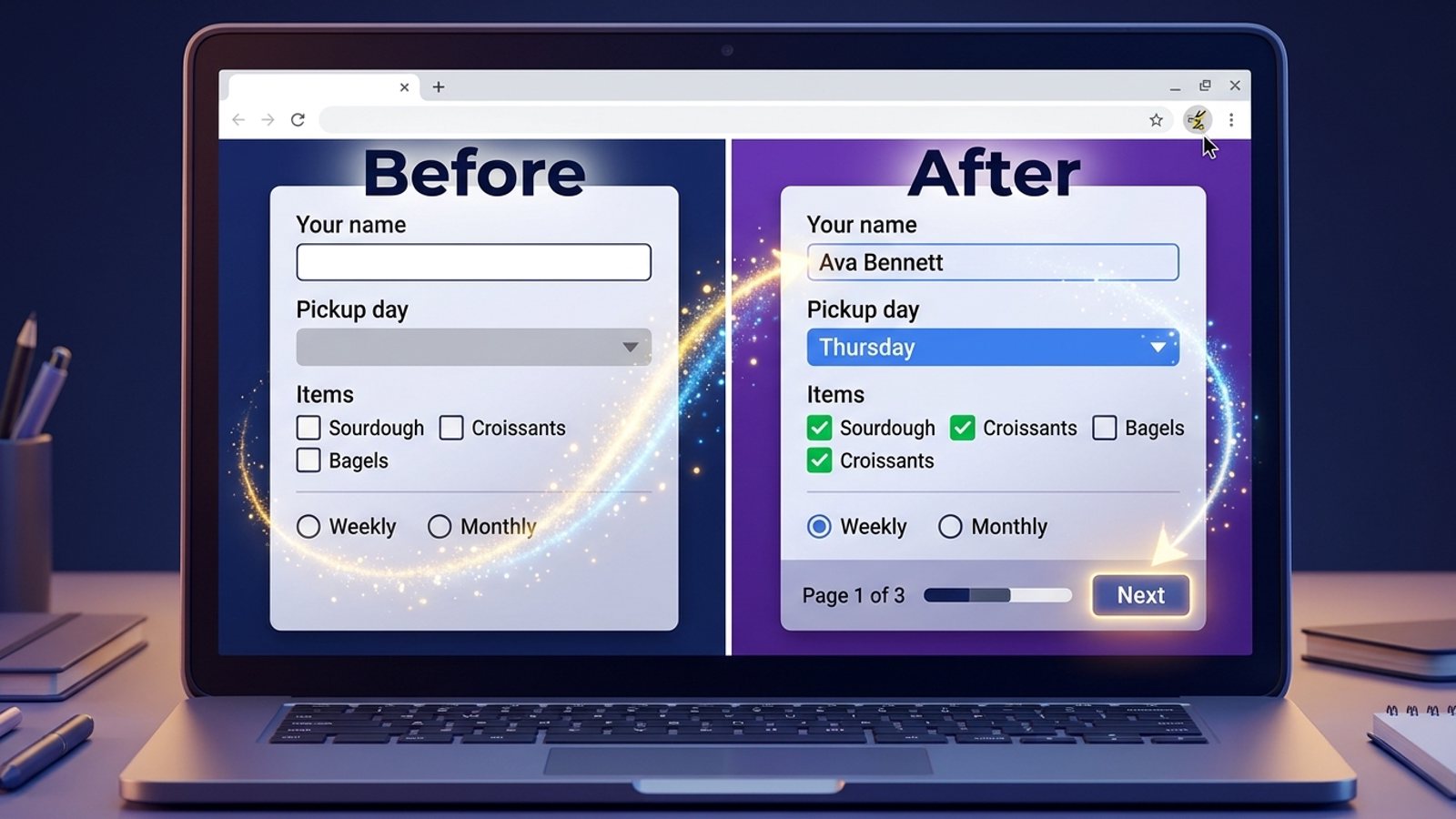
What is the best way to fill Google Forms for market research surveys?
Compare manual entry, Chrome Autofill, pre-filled links and AI extensions for filling Google Forms in market research — and learn which keeps dropdowns and checkboxes consistent.
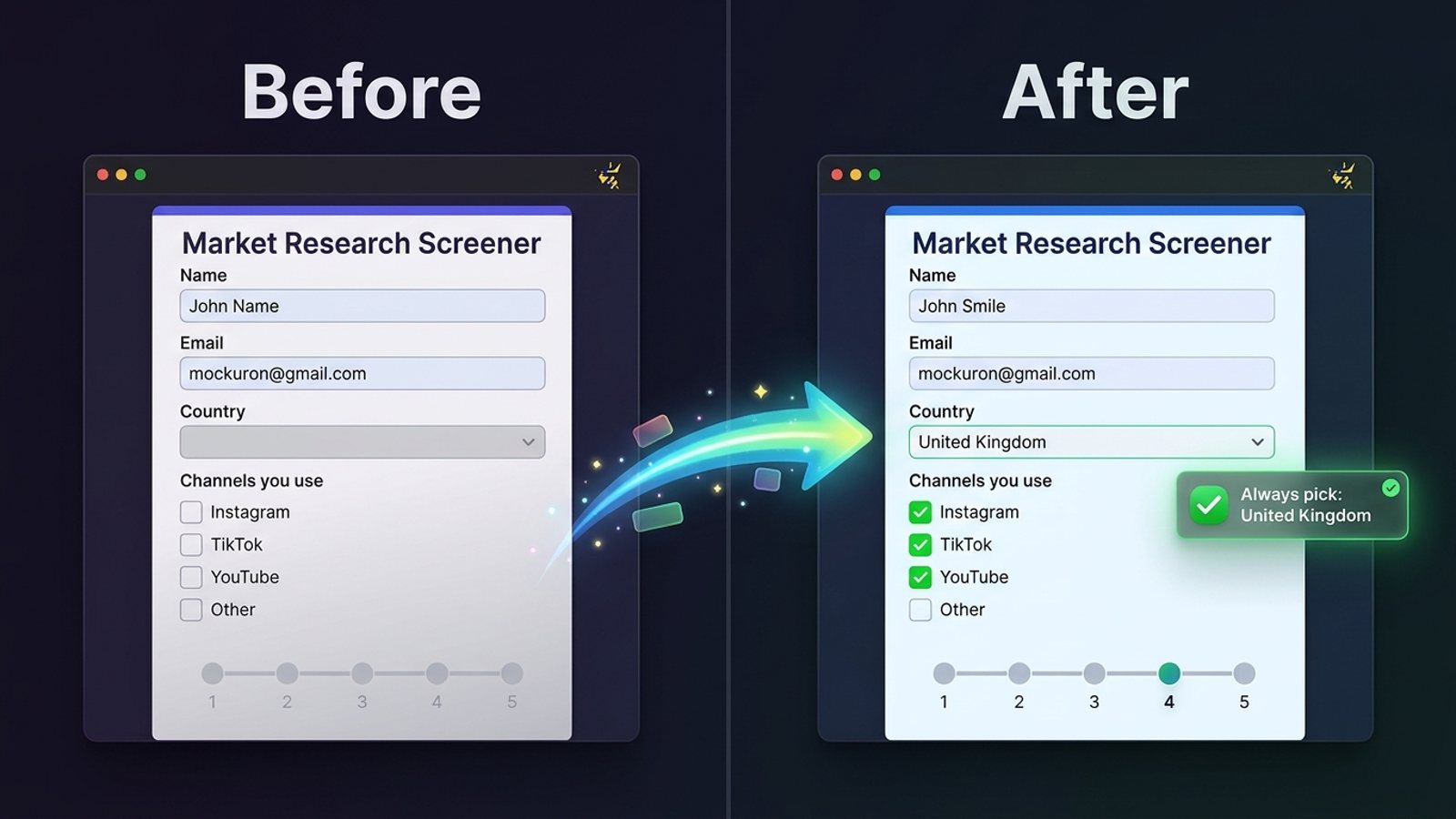
The best way fill Google Forms market research depends on the job. If you're filling a form in front of you — a screener, panel intake or recurring client survey — use an AI form filler that handles dropdowns, checkboxes and multi-page sections and lets you lock answers with rules. If you're sending a form out with known values baked in, use Google's "Get pre-filled link" instead.
Start with the free plan and run your own consistency check on one real survey before you commit to any method: Add Zipifil to Chrome — 3 fills a day free.
Why is filling Google Forms for market research different from filling any other form?
Because research data is only useful if it's consistent. A screener filled twice with two different dropdown answers is worse than no data at all — it quietly corrupts the sample.
Google Forms holds about 47.6% of the survey-tool market, the largest share of any provider (StatCounter data cited by QuickForm, 2026). So researchers end up living inside it, often filling the same structure dozens or hundreds of times: panel intake, location checks, recurring client trackers.
That splits the job in two:
- Filling a form you're looking at — you open the link and need the whole thing completed accurately. This is a browser-filler job.
- Sending a form out with known values already in it — you distribute one link to many people, each pre-loaded with their own details. This is a pre-filled-link job.
Most wasted time in research comes from using method 2 for job 1, or expecting Chrome Autofill to do either.
What are the main ways to fill Google Forms, compared?
Here are the four methods researchers actually use, with what each one is genuinely good at.
| Option | Best for | Key features | Price / free option | Watch-outs |
|---|---|---|---|---|
| Zipifil (Our pick) | Repeated research forms with dropdowns and checkboxes | All field types; URL rules; multi-page | Free: 3 fills/day; $9.99/month | Works best in English |
| Manual entry | One-off submissions and small pilots | Total control, nothing to install | Free | Slow; judgement drifts |
| Chrome built-in Autofill | Ordinary HTML forms; name and email | Zero setup | Free, built into Chrome | Leaves Google Forms mostly blank |
| Get pre-filled link | Sending one form to many people | Official Google feature; most question types | Free, native to Google Forms | Values baked into the URL |
Zipifil is made by the team behind this blog.
Zipifil — our pick of the tools we compared
Zipifil is a Chrome extension that uses AI to fill web forms — text boxes, dropdowns, checkboxes, radio buttons, date pickers and multi-step wizards — including Google Forms. It's built for people who fill the same forms over and over, which is exactly the researcher's situation.
The feature that matters most for research is custom rules per URL. You teach it once — format a phone number a certain way, skip a field, always pick the same dropdown option — and it remembers for every future fill. That's what keeps answers consistent across hundreds of near-identical forms.
It also goes from one page to the next on multi-page Google Forms, and you can upload a PDF or image (a client brief, a supplier invoice) and let the form fill itself from it.
Two honest notes. The owner confirms it works best in English — for other languages, ask support. And it works on the Google Forms page itself; it is not an official Google product.
Zipifil pricing, as of November 2026 and subject to change: free forever with 3 AI form fills every day, no credit card required; the Unlimited plan is $9.99 per month with unlimited fills, custom domain rules and prompts, PDF and image extraction, and priority AI execution. Get the extension and test it on your next survey.
Manual entry — still right for small, judgement-heavy work
Typing each response by hand needs no tool, no install and no account, and it gives you total control over every answer. For a pilot of ten responses where a human needs to weigh each one, it's the correct choice.
At volume it breaks down. It's slow, and the same subjective judgement can drift between responses — the first respondent gets a careful read, the fortieth gets a fast one. No source in our material documents manual-entry error rates, so we won't put a number on it; the drift risk is the practical concern.
Chrome built-in Autofill — fine for the first two fields, then it stops
Chrome's Autofill is free and built in, and on ordinary web forms it works well. On Google Forms it usually fills your name and email and leaves the survey blank.
The reason is structural: Google Forms renders through a custom JavaScript layer rather than standard HTML inputs, so Chrome's autofill often fills only some fields (QuickForm, 2026). An older Super User thread (2016) makes the same point — the inputs are created with designated class attributes, not a standard <form> element, which is what Chrome looks for.
When Chrome fills some fields but skips others, causes include autofill being off for that info type, an incomplete saved address, another extension (often a password manager) interfering, or a form Chrome simply can't recognise — and that last one can't be fixed from the user's side (tidyleaf guide). The workaround is a filler that matches fields by their visible label.
Get pre-filled link — for sending, not for filling
Google's "Get pre-filled link" (three-dot menu → Get pre-filled link) is an official feature, and Google's own help describes it for forms reused repeatedly and for passing known values such as names or event details (Google Workspace help).
It produces a URL like .../viewform?usp=pp_url&entry.798192315=Foo1&entry.798192331=Foo2, where each entry. number is one field (Stack Overflow, 2025). The parameter patterns differ by question type (zunoform):
- Short answer / paragraph:
entry.111=Jane+Doe— encode spaces,&,#and+ - Multiple choice / dropdown:
entry.222=Option+text— must match the option text exactly - Checkboxes: repeat the parameter once per ticked box,
entry.333=A&entry.333=B - Linear scale:
entry.444=4 - Date:
entry.555=2026-10-15 - File upload: can't be pre-filled at all
Hidden fields on a later page can be pre-filled too: build your sections, put the hidden fields in Section 2, use Get pre-filled link with sample values, then swap in the real ones (Stack Overflow, 2025).
The limits bite later. Very long prefill URLs fail — one of 9,000+ characters returned HTTP 400 (Stack Overflow, 2015). And pre-filling the rest of a form from a first answer isn't a native Google Forms feature (Google Help thread, 2022).
Which AI form filler actually works on Google Forms with dropdowns and checkboxes?
The one that handles every field type and lets you lock answers with rules. Most failures show up in exactly the fields research forms lean on: dropdowns, checkboxes, grids and scales.
Here's how the researcher-oriented options compare.
| Option | Best for | Key features | Price / free option | Watch-outs |
|---|---|---|---|---|
| Zipifil (Our pick) | Repeated forms with complex fields | All field types; URL rules; multi-page | Free: 3 fills/day; $9.99/month | Works best in English |
| docFiller | AI answers across many field types | Claims 20+ field types; five AI models | No price listed; you pay your API provider | API-key setup |
| Google Form Auto Filler | Saved answer pairs by question text | Text, choice, checkboxes, dropdowns, grids | No price listed in our material | Exact option text needed |
| AI Filler for Google Forms | Quick answers on simple forms | Short text, paragraph, single choice | No price listed | No checkbox or dropdown support documented |
| FillHarbor | Synthetic personas for form testing | 9 personas, 7 regions, Likert answers | No price listed | Testing tool, not data entry |
docFiller is a GenAI filler that claims full support for "20+ Google Forms field types" and integrates ChatGPT, Claude, Gemini, Ollama and Mistral (Chrome Web Store, 2026). It requires your own API key, so model usage is billed by that provider — a barrier if you don't want to manage keys. If you mainly need to generate varied answers from a chosen model and you're comfortable with API keys, docFiller is the more direct choice.
Google Form Auto Filler stores saved question-and-answer pairs matched by question text, and supports text inputs, multiple choice, checkboxes, dropdowns, linear scales and grid questions, with radio and dropdown answers chosen by option number or exact option text (Chrome Web Store, 2026). If your forms are stable and you mainly need a saved-answer library, it's a reasonable fit. Note that an older Chrome extension with a similar name drew reviewer complaints about struggling with checkboxes, dropdowns, dates and multiple choice (Chrome-Stats, 2025) — check which listing you're installing.
AI Filler for Google Forms (the Firefox add-on) runs a simple three-step flow: open a /viewform link, extract questions, review and inject answers (Firefox Add-ons, 2026). It documents short text, paragraph and single-choice only, so it will leave common research questions — checkboxes, dropdowns, grids — unanswered. If you only ever face simple forms, it's the lighter option.
FillHarbor is built for researchers and testers: 9 personas, 7 localised regions, realistic Likert and multiple-choice answers, multi-page navigation and auto-submit, running entirely locally with zero data collection (Firefox Add-ons, 2026). If your job is testing a form with plausible synthetic respondents rather than entering real data, FillHarbor is the more direct choice.
Also worth knowing: gformbot, an open-source CLI, fills from CSV pools, randomised choice or ChatGPT-generated profiles, and doesn't click Submit in review mode (Socket/PyPI, 2026) — its own docs say validation "does not prove semantic consistency, statistical fidelity, or real-world accuracy."
How do I keep answers consistent across hundreds of near-identical Google Forms?
Set the rules once, then let them run. Consistency is the whole game in research, and it's where most fillers visibly break.
Here's the practical process:
- Decide the job first. Filling a form you're looking at → browser filler. Sending a form with known values → pre-filled link. Mixing them wastes the most time.
- Write down your canonical answers for every dropdown, checkbox and scale — the exact option text, not a paraphrase. Dropdown and multiple-choice values must match the option text exactly (zunoform).
- Set URL-specific rules so the tool applies those answers the same way on every fill, and skips fields you never answer.
- Run the two-fill test. Fill the same form twice and compare dropdown, checkbox and grid answers side by side. This is where fillers visibly break (Chrome-Stats review notes, 2025).
- Check the pages. On multi-page forms, confirm the tool advanced through every section and didn't stall before Submit — a stale section destination or a required-question problem can leave a respondent stuck (formlova, 2026).
In Zipifil, steps 3 and 5 are built in: you set URL-specific rules and custom AI instructions per page once, and it remembers them forever — and it moves from one page to the next on multi-page Google Forms. You can also highlight text on a page, right-click and map it to a form field in two clicks.
The fastest fill is worth nothing if the same question gets a different answer the second time.
What mistakes should researchers avoid?
Assuming Autofill will cover the survey. It fills name and email and stops. The blank fields below are easy to miss because the top of the form looks complete.
Using pre-filled links to fill a form you're looking at. Prefill values are baked into a URL — it's for distributing a form, not completing one on screen.
Hard-coding option text loosely. A dropdown value that doesn't match the option text exactly won't select.
Ignoring URL length. Long prefill URLs fail outright; one of 9,000+ characters returned HTTP 400 (Stack Overflow, 2015).
Skipping the consistency check. Fill twice and compare before you trust any tool with a batch.
Our recommendation: keep a short written record of your canonical answers and rules. When a form changes its options, you'll know exactly what to update.
If you're filling the same Google Form every day, see our guide on filling the same Google Form every day without retyping everything. For the full picture on AI tools, read what is the best AI tool to fill out a long Google Form automatically.
The fastest, most consistent way to fill research forms is to let an AI form filler handle the dropdowns and checkboxes while you keep the rules: Add Zipifil to Chrome — 3 fills a day free.
Sources
- How to autofill Google Forms in Chrome (QuickForm blog, 2026-06-09)
- Chrome Autofill not working on Google Forms responses (Super User, 2016-08-04)
- Chrome Autofill Not Working on Some Forms? (tidyleaf, date not given)
- Prefill entry-ID pattern (Stack Overflow suggested edit, 2025-06-04)
- Hidden fields pre-filled in later section (Stack Overflow revision, 2025-02-23)
- Google Forms Prefilled Link: entry IDs, Sheets and UTMs (zunoform, date not given)
- Google Forms Prefilled URL Limit (Stack Overflow, 2015-08-26)
- Multiple pre-filled versions of the same survey (Google Help, 2022)
- Pre-fill answers in a form (Google Workspace help, date not given)
- Google Forms sections guide (formlova, 2026-09-03)
- How to create form sections in Google Forms (Formester, 2026-06-04)
- Google Form Auto Filler (Chrome Web Store, 2026-09-14)
- docFiller (Chrome Web Store, updated 2026-07-07)
- GForm Auto Filler (Firefox Add-ons, 2026-07-01)
- Google Forms Auto Filler reviews (Chrome-Stats, updated 2025-01-07)
- FillHarbor Bulk Form Filler (Firefox Add-ons, 2026-10-15)
- gformbot package overview (Socket / PyPI, 2026-10-02)
Frequently asked questions
Because Google Forms renders through a custom JavaScript layer rather than standard HTML inputs, Chrome's autofill often fills only some fields (QuickForm, 2026). The rest need a filler that matches fields by their visible label.
Yes — a dropdown takes entry.222=Option+text with the option text matched exactly, and checkboxes repeat the parameter once per ticked box (zunoform). File upload questions can't be pre-filled.
For repeated forms with dropdowns, checkboxes and multiple pages, Zipifil is our pick of the tools we compared: it fills every field type, sets URL-specific rules once, and moves through multi-page forms. If you mainly need AI-generated answers and don't mind managing an API key, docFiller is the more direct choice; if you're testing a form with synthetic personas, FillHarbor fits better.
It depends on the tool. Zipifil goes from one page to the next on multi-page Google Forms, per the owner. With any tool, check after each run that it reached Submit — a stale section destination can leave a respondent stuck (formlova, 2026).
That's an ethics and validity question, and rules and panel policies vary by place — our material contains no ethics guidance, so treat it as a caveat rather than a recommendation. Not legal advice.