Can AI fill Google Forms with different answers each time?
Yes — an AI form filler can produce a fresh set of answers on every run when it generates responses from a written prompt instead of replaying a saved profile. Here's how to set it up, and what
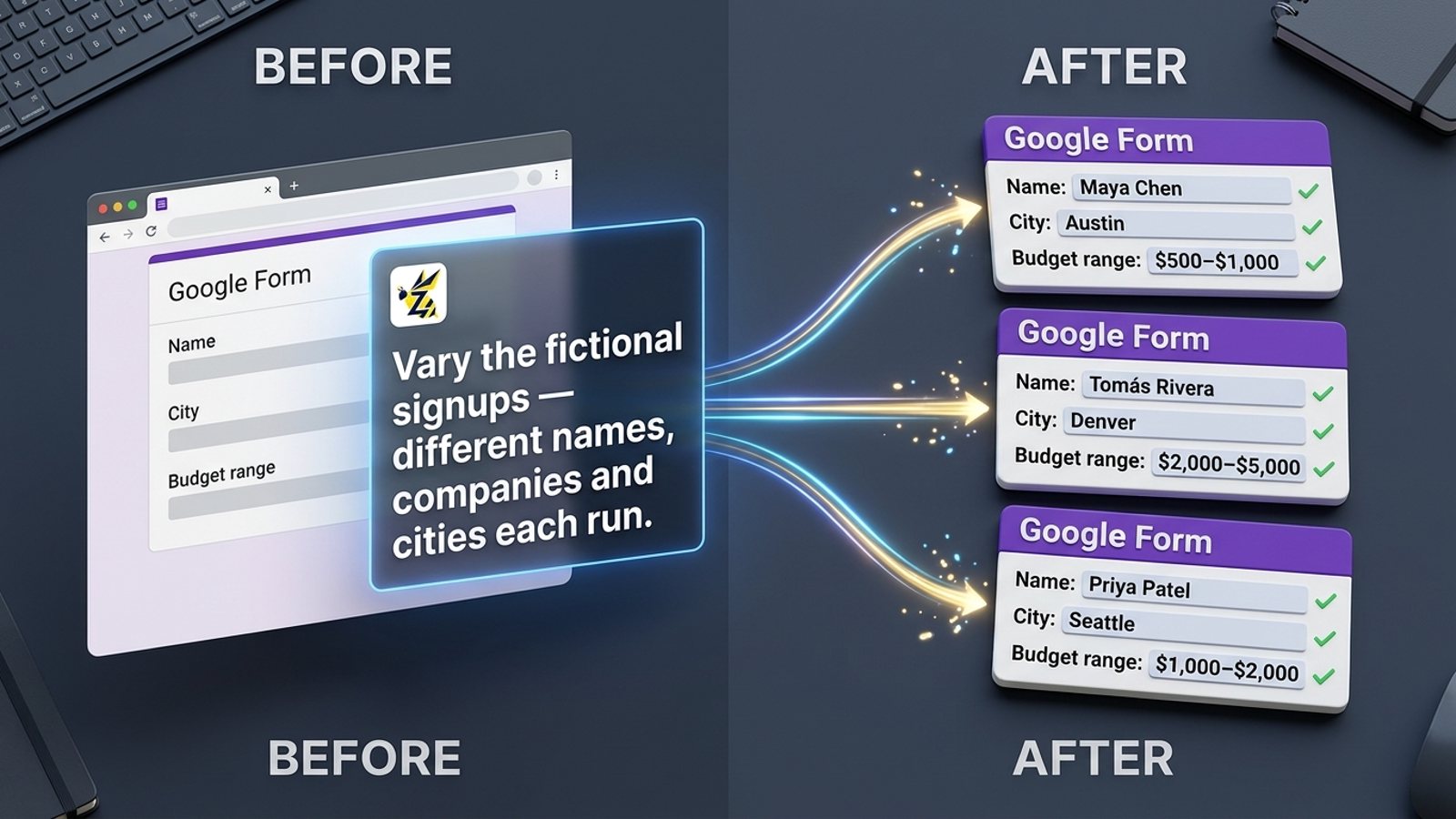
Yes. An AI form filler can give you a different set of answers on every run — if it generates responses from a written prompt instead of replaying one saved profile. You type an instruction like "vary the fictional signups", the tool writes fresh answers, and it fills the fields for you. It's built for testing your own forms or making synthetic data, not for faking real survey responses.
Want to try it on a test form of your own? Add Zipifil to Chrome — 3 fills a day free and write your first variation prompt.
How does an AI filler produce different answers each time?
It reads the questions, sends them to an AI model with your instruction, and injects whatever comes back. That three-step loop — detect the form, read the questions and field types, inject the returned answers — is how an extension or script can fill a Google Form page by page, as described in the GForm Auto Filler listing on Firefox Add-ons (2026).
The variation comes from the instruction, not from luck. gformbot, a Python tool on PyPI (2026), takes a free-text message such as "Vary the fictional signups." and generates a fresh response set from it. Change the wording, and the answers change with it.
What do I type to get a different set of answers?
Write a short, specific instruction that says what should change. Vague prompts give you near-identical answers; concrete ones give you real spread.
Our recommendation: name the thing that should vary, the range you want, and the tone. For example:
- "Vary the fictional signups — different names, companies and cities each run."
- "Answer as a different small-business owner each time, with a different budget range."
- "Change the complaint text but keep the satisfaction rating between 3 and 5."
Then review what comes back. gformbot's own documentation warns users to "Review AI output for meaning before relying on it", and it pauses a batch with quality warnings before submitting — a good habit to copy whatever tool you use.
Can AI fill Google Forms with different answers on a multi-page form?
Yes, if the tool follows section routing for each answer set. Different answers can send a respondent down different branches, so the filler has to work out which sections each set reaches — including skipped sections and early submission.
gformbot does this per answer set and stops if the route is unclear or loops (PyPI, 2026). That stop is a feature, not a failure: it tells you the prompt produced answers your form's logic can't handle, and you can fix the prompt instead of collecting broken data.
For a longer walkthrough of page-by-page filling, see how to fill a multi-page Google Form automatically.
What stops varied answers from going through?
Google's own response settings. These are set by the form owner and are enforced when someone submits, so no filler gets around them — and none should try to.
| Setting | What it does to varied fills |
|---|---|
| Limit to 1 response | Forces sign-in; blocks the second run |
| Collect email (verified) | Requires a signed-in Google account |
| File upload questions | Needs a real file per response |
| Response validation | Rejects answers outside the rules |
Google Help explains that "limit to 1 response" requires respondents to sign in, and that usernames aren't recorded unless you turn on collecting email addresses. gformbot's documentation lists account-verified email, "limit to 1 response" and file-upload forms as unsupported for exactly this reason.
Response validation is the other wall. Google Forms can validate numbers, text, length, regular expressions and checkbox counts per question, and it checks them at submit time. An AI answer that ignores your rules gets bounced. So before you run a batch, note every validation rule on the form and put it in your prompt.
Can I control the spread of answers, not just get random ones?
Partly. Some tools offer a random mode with weights rather than pure generation. gformbot's random mode samples eligible choices with equal chances, follows patterns from a guide CSV, or applies weights you set, and AI fills the remaining written and date fields.
The honest catch: gformbot's own docs say manual weights "are relative probabilities, not exact quotas" (PyPI, 2026). So you can lean a form toward more "yes" than "no", but you can't order exactly 60 of one and 40 of another. If you need exact counts, plan the responses in a spreadsheet and import them instead.
How do I set this up step by step?
- Decide the purpose. Testing your own form's logic and validation, or generating synthetic data for a demo. Only use forms you own or have permission to test — gformdummy's listing (NPM, 2026) makes this explicit.
- Check the response settings. Turn off "limit to 1 response" and verified-email collection on your test copy, and remove file-upload questions from the test version.
- List the validation rules. Number ranges, text length, regex patterns, checkbox counts. These go into your prompt.
- Install a prompt-capable filler. A Chrome extension that accepts per-page instructions, or a command-line tool like gformbot.
- Write the variation prompt. Say what should differ and by how much.
- Run one fill and read it. Check the answers make sense together — a "person with a mood", as Crowdfill's listing puts it, not a pile of disconnected facts.
- Adjust and repeat. Small prompt changes give you a new set each time.
Zipifil handles steps 4 to 7 in the browser: you add custom AI instructions per page to change, skip or format fields, and it fills the whole form — text boxes, dropdowns, checkboxes, radio buttons and date pickers — including Google Forms. You can also set URL-specific rules once so every future fill follows them.
Which tool should I use to vary answers in Google Forms?
It depends on whether you want a browser extension or a script. Here's how the options we compared line up.
| Option | Best for | Key features | Price | Watch-outs |
|---|---|---|---|---|
| Zipifil (Our pick) | Filling Google Forms in the browser with per-page instructions | Custom AI instructions per page; URL rules; all field types | Free: 3 fills/day; $9.99/mo unlimited (as of Nov 2026) | Best in English |
| gformbot | Batch synthetic responses from a terminal | Prompt per run; random mode with weights; section routing | Not stated in the material | Public anonymous forms only |
| docFiller | Using your own AI model and API key | 20+ field types claimed; ChatGPT, Claude, Gemini, Ollama | Not stated in the material | Profile-and-weights flow, not prompt-per-run |
| GForm Auto Filler | Quick extract-and-inject on Firefox | Extract questions, review, inject | Not stated in the material | Text, paragraph and multiple choice only |
Zipifil is made by the team behind this blog.
Of the tools we compared, Zipifil is our pick for anyone who wants to vary answers inside the browser without writing a command line — the per-page AI instructions are the feature that does the work here. If you mainly need large batches of synthetic responses from a script, gformbot is the more direct choice. If you'd rather plug in your own API key and pick a profile, docFiller fits that. And if you want a simple Firefox extract-and-inject tool for text questions, GForm Auto Filler covers it.
Zipifil's free plan gives you 3 AI form fills every day with no credit card, and the unlimited plan is $9.99 per month with unlimited fills, custom domain rules and prompts, PDF and image extraction, and priority AI execution — as of November 2026, and prices can change. Add it to Chrome and try a variation prompt.
Is it okay to use varied answers for a real survey?
No — not if it means passing synthetic answers off as real people. gformdummy's listing warns users to run it only on forms they own or have permission to test and never to fake real survey respondents, and FormResponseBot's documentation says synthetic responses must not be presented as real participant data.
The legitimate uses are clear: testing whether your form's branching works, checking that validation rules accept the answers you expect, and generating demo data for a dashboard. Google's own abuse guidance recommends verified email collection or "limit to 1 response" to reduce repeated submissions from the same person — a signal that form owners care about this, and that you should respect it.
The line is simple: vary answers to test your own form, never to invent respondents for someone else's.
Can pre-filled links do this instead?
No. A pre-filled link bakes fixed answers into the URL, so it always delivers the same response. Google Forms generates them from the three-dot menu's "Get pre-filled link" option, and a community thread on Google Help (2024) describes the flow.
Labnol.org (2026) shows how to build personalized pre-filled links from a Sheet and a script — useful for constant details like an event code or a name. But every value is fixed in the URL. There's also a privacy point: U2L AI (2026) notes that everything in a pre-filled URL is visible in browser history, email logs and analytics, so keep that data non-sensitive. GeekChamp (2026) adds that dropdowns need the exact option label and branching may not trigger.
For the same-data-every-time case, see how to fill a Google Form with the same data every time.
Sources
- gformbot on PyPI (2026-10-02)
- gformbot 0.3.0 on PyPI (2026-10-02)
- gformdummy on NPM (2026-06-09)
- FormResponseBot on PyPI (2026-09-16)
- GForm Auto Filler — Firefox Add-ons (2026-07-01)
- docFiller — Chrome Web Store (updated 2026-07-07)
- Crowdfill — Chrome Web Store (no date given)
- How to set rules for your form — Google Help (no date given)
- Publish & share your form with responders — Google Help (no date given)
- Google Form abuse from respondents — Google Help thread (2024-12-01)
- Setting default values in a Google Form — Google Help thread (2024-09-05)
- How to Send Google Forms with Pre-filled Answers — Labnol.org (2026-10-28)
- Google Forms Prefill Link Generator — U2L AI (2026-09-14)
- Unlock the Power of Auto Fill in Google Forms — GeekChamp (2026-05-14)
Frequently asked questions
No. AI generation varies by default, which is the point. gformbot's docs tell users to review output for meaning, and its quality warnings pause a batch before submitting — so treat each run as a draft to check.
No. That setting forces respondents to sign in, and gformbot's documentation lists it as unsupported. Google enforces the setting at submission, so the second run is blocked. Use a test copy without the limit.
They get rejected at submit. Google Forms validates numbers, text, length, regular expressions and checkbox counts per question. Put every rule into your prompt — "age between 18 and 65", "exactly two checkboxes" — and test one response before running a batch.
Of the tools we compared, Zipifil is our pick if you want to do it in the browser with per-page AI instructions and no setup beyond a Chrome extension. If you need scripted batches of synthetic responses, gformbot is the more direct choice. If you want to bring your own AI model key, docFiller suits that.
Google's response controls — sign-in requirements, one-response limits, validation — apply to every submission, and nothing here gets around them. The tool authors whose documentation we read are explicit that synthetic answers shouldn't be presented as real participant data. Our recommendation: vary answers only on forms you own or have permission to test.